

In Part 1, I set up Claude Code Agent Teams in a full-screen, multi-pane CLI on Windows.
Now for the less visible side of the experiment: What are all those agents doing - and how many tokens are they consuming?
In this part, we send Claude Code telemetry to Azure Application Insights and inspect it in a Grafana dashboard.
The setup still runs natively on my Windows 11 ARM64 machine. No WSL required.
The architecture
Claude Code already emits telemetry using OpenTelemetry. A local Collector receives that data and forwards it to Azure. Grafana then queries the Application Insights data stored in Log Analytics.
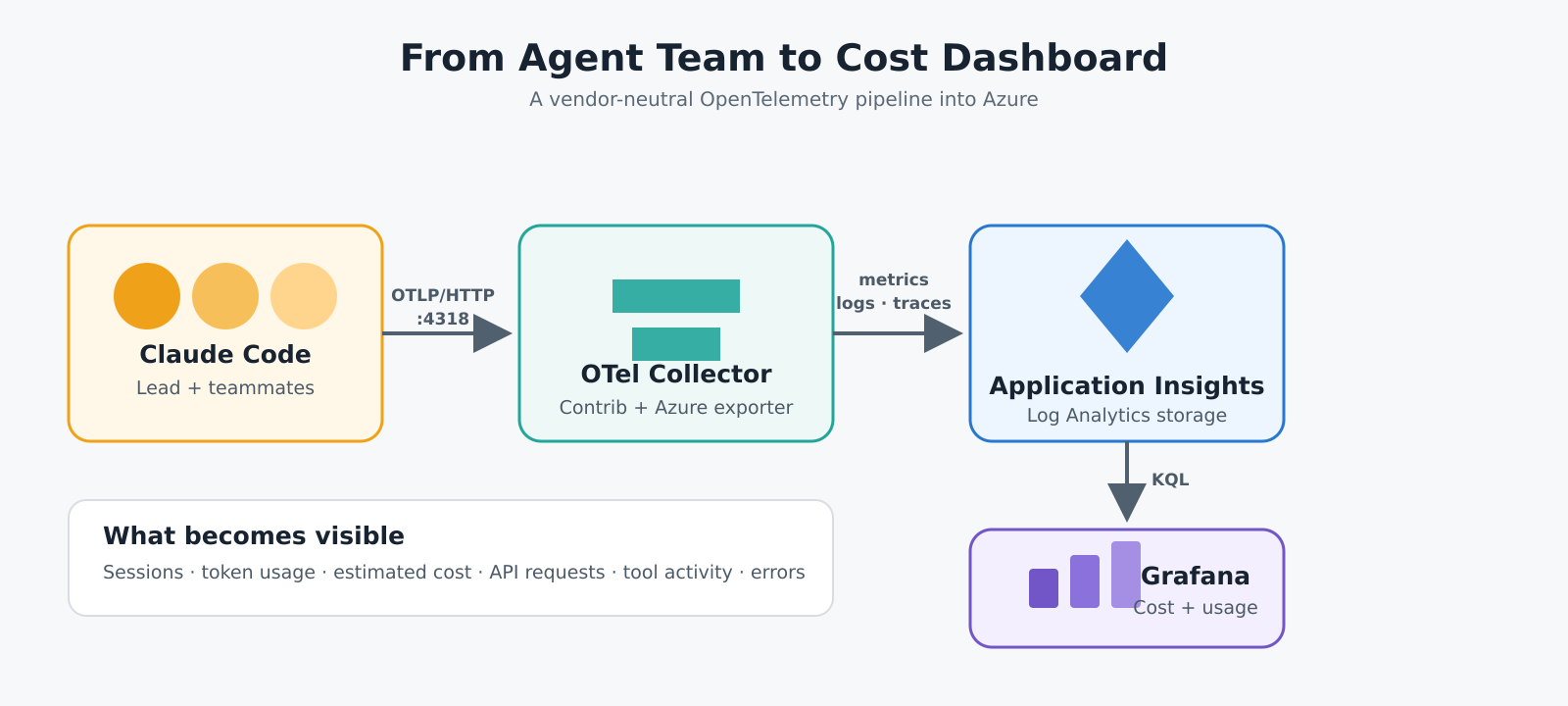
OpenTelemetry keeps the agent separate from the monitoring backend. Today I use Application Insights; the same OTLP stream could be routed elsewhere later.
1. Install the OpenTelemetry Collector
For the Azure Monitor exporter, use the contrib distribution. Because this lab runs on Snapdragon, use the ARM64 installer:
$otelVersion = "0.158.0"
$otelMsi = "$env:TEMP\otelcol-contrib.msi"

irm "https://github.com/open-telemetry/opentelemetry-collector-releases/releases/download/v$otelVersion/otelcol-contrib_${otelVersion}_windows_arm64.msi" `
    -OutFile $otelMsi

Start-Process msiexec.exe -Verb RunAs -Wait `
    -ArgumentList "/i `"$otelMsi`""
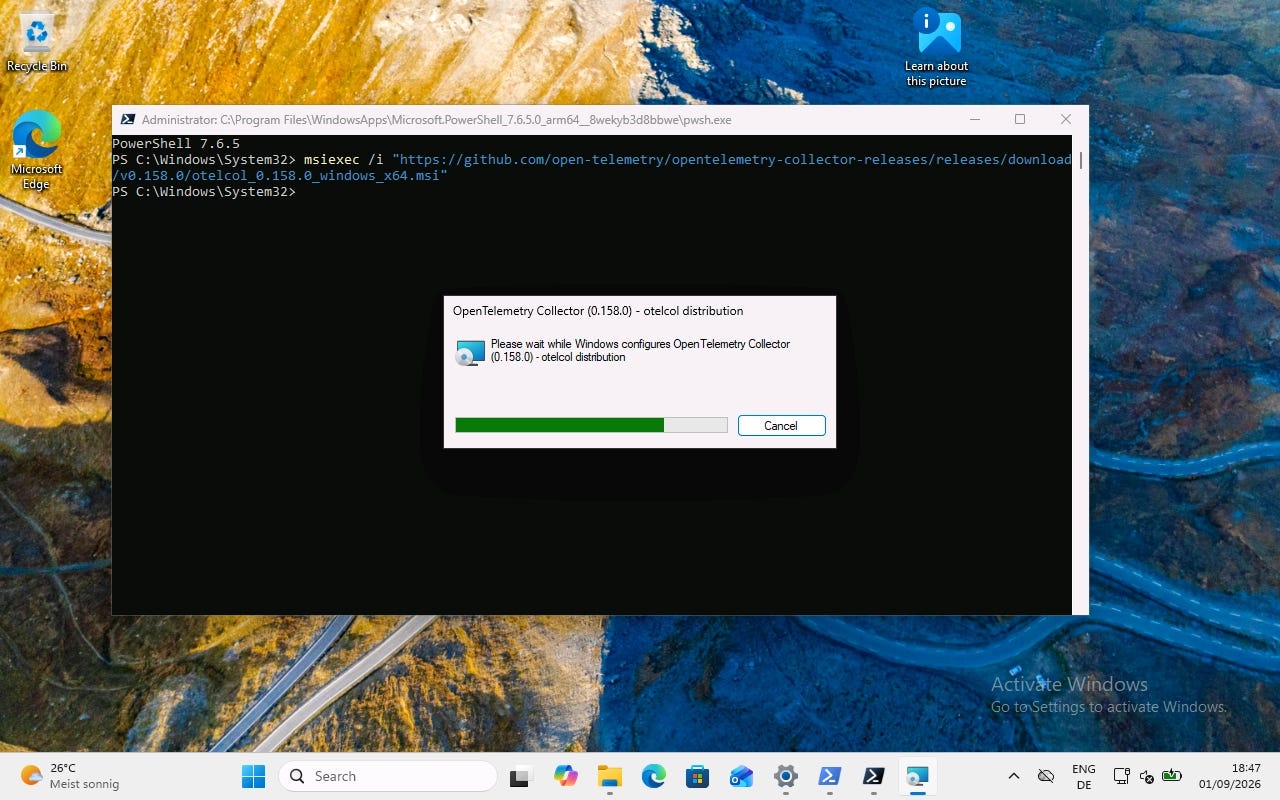
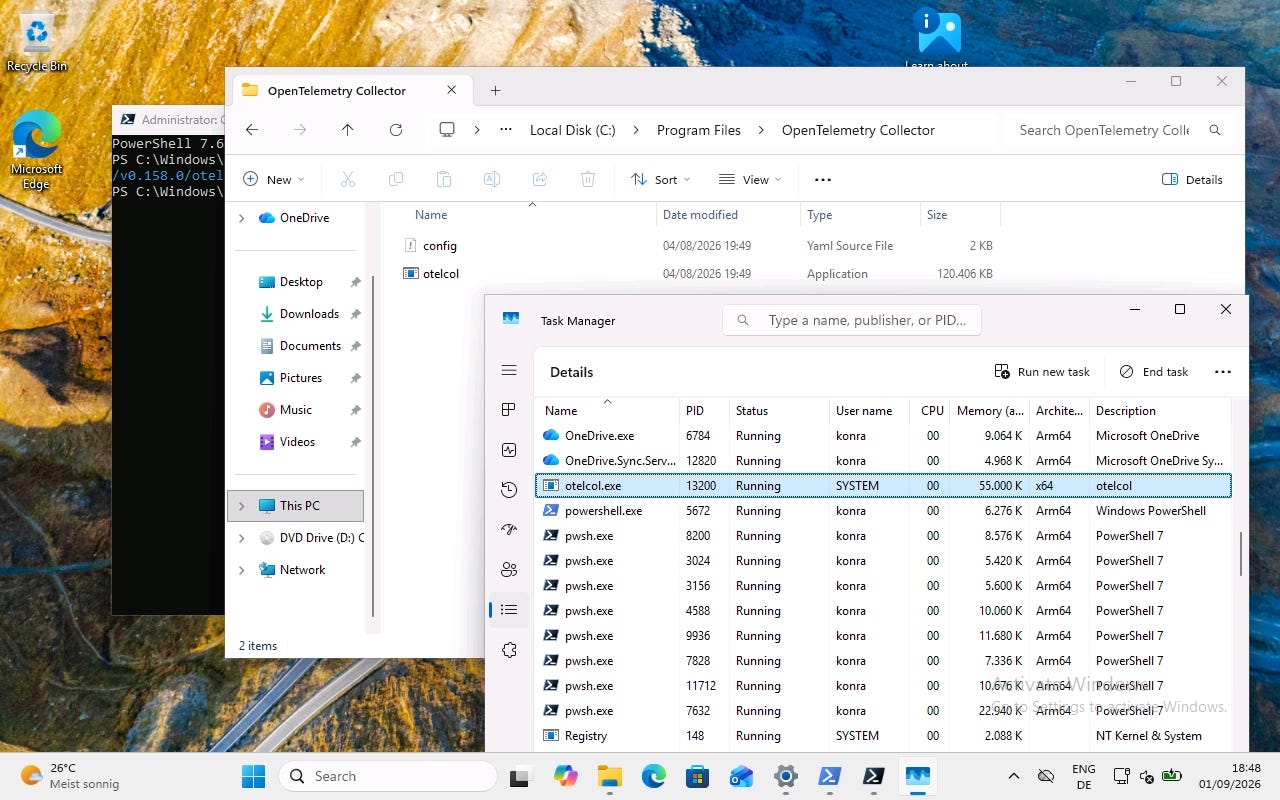
The installer creates a Windows service and places the Collector under:
C:\Program Files\OpenTelemetry Collector Contrib
Check that it is running:
Get-Service otelcol-contrib
Then open http://localhost:8888/metrics. This endpoint shows the Collector’s own internal metrics - a quick confirmation that the process is alive.
2. Point Claude Code at the Collector
Set these variables in PowerShell before starting Claude Code:
$env:CLAUDE_CODE_ENABLE_TELEMETRY="1"
$env:CLAUDE_CODE_ENHANCED_TELEMETRY_BETA="1"

$env:OTEL_METRICS_EXPORTER="otlp"
$env:OTEL_LOGS_EXPORTER="otlp"
$env:OTEL_TRACES_EXPORTER="otlp"

$env:OTEL_EXPORTER_OTLP_PROTOCOL="http/protobuf"
$env:OTEL_EXPORTER_OTLP_ENDPOINT="http://localhost:4318"
Claude Code will now send metrics, events and traces to the local OTLP/HTTP endpoint.
Claude Code records useful metadata such as prompt length, token usage and cost without sending the actual text.
3. Create Application Insights
You can use an existing workspace-based Application Insights resource. For this lab, I created one with Azure PowerShell.
Install the module and sign in:
Install-Module -Name Az -Scope CurrentUser -Repository PSGallery -Force
Connect-AzAccount
My minimal creation script is:
$resourceGroupName = "AI-Telemetry"
$resourceName = "AppInsights-AI"
$azureRegion = "germanywestcentral"

New-AzResourceGroup `
    -Name $resourceGroupName `
    -Location $azureRegion

New-AzApplicationInsights `
    -ResourceGroupName $resourceGroupName `
    -Name $resourceName `
    -Location $azureRegion `
    -Kind "web" `
    -ApplicationType "web"
Adjust the names and region, save the script as CreateAppInsights.ps1, and run it:
.\CreateAppInsights.ps1
Azure automatically creates an associated Log Analytics workspace if you do not supply an existing one.
4. Forward the telemetry to Azure
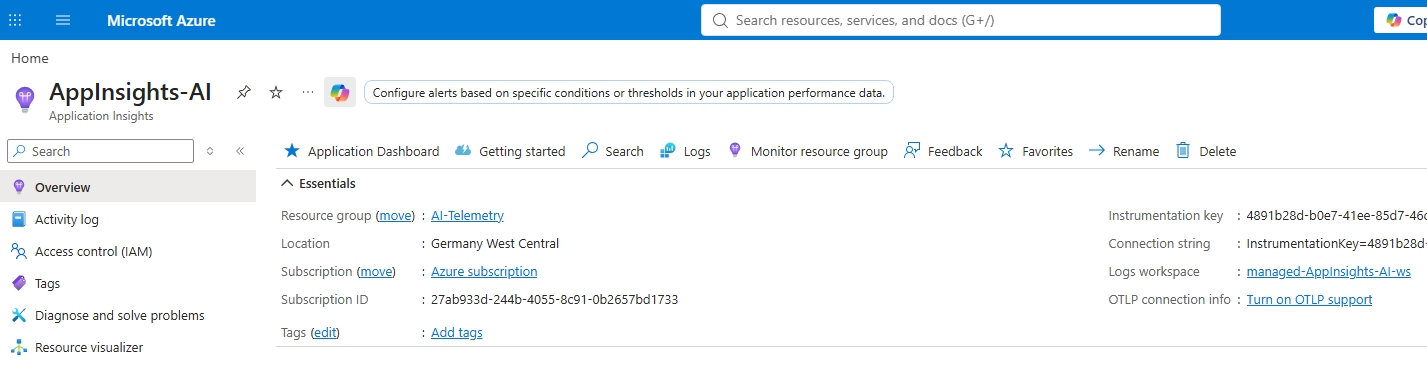
In the Azure portal, open the Application Insights resource and copy its Connection String from the Overview page.
Replace the contents of the Collector’s config.yaml with this minimal configuration:
receivers:
  otlp:
    protocols:
      http:
        endpoint: 0.0.0.0:4318
      grpc:
        endpoint: 0.0.0.0:4317

exporters:
  azuremonitor:
    connection_string: "<YOUR APPLICATION INSIGHTS CONNECTION STRING>"

service:
  pipelines:
    traces:
      receivers: [otlp]
      exporters: [azuremonitor]
    metrics:
      receivers: [otlp]
      exporters: [azuremonitor]
    logs:
      receivers: [otlp]
      exporters: [azuremonitor]
Do not commit the connection string to a repository. You can find the connection string on the Overview pane in Azure Portal:
Validate the configuration and restart the service from an elevated PowerShell:
$otelHome = "C:\Program Files\OpenTelemetry Collector Contrib"

& "$otelHome\otelcol-contrib.exe" validate `
    --config "$otelHome\config.yaml"

Restart-Service otelcol-contrib
5. Generate some telemetry
Start Claude Code again in Agent Teams mode:
claude --teammate-mode tmux
Give the team a task, let the agents work, and wait a few minutes for the data to reach Azure.
In the Azure portal, open:
Application Insights -> Dashboards with Grafana -> Claude Code
The dashboard shows sessions, prompts, API requests, tool activity, tokens and estimated cost - including the activity generated by subagents.
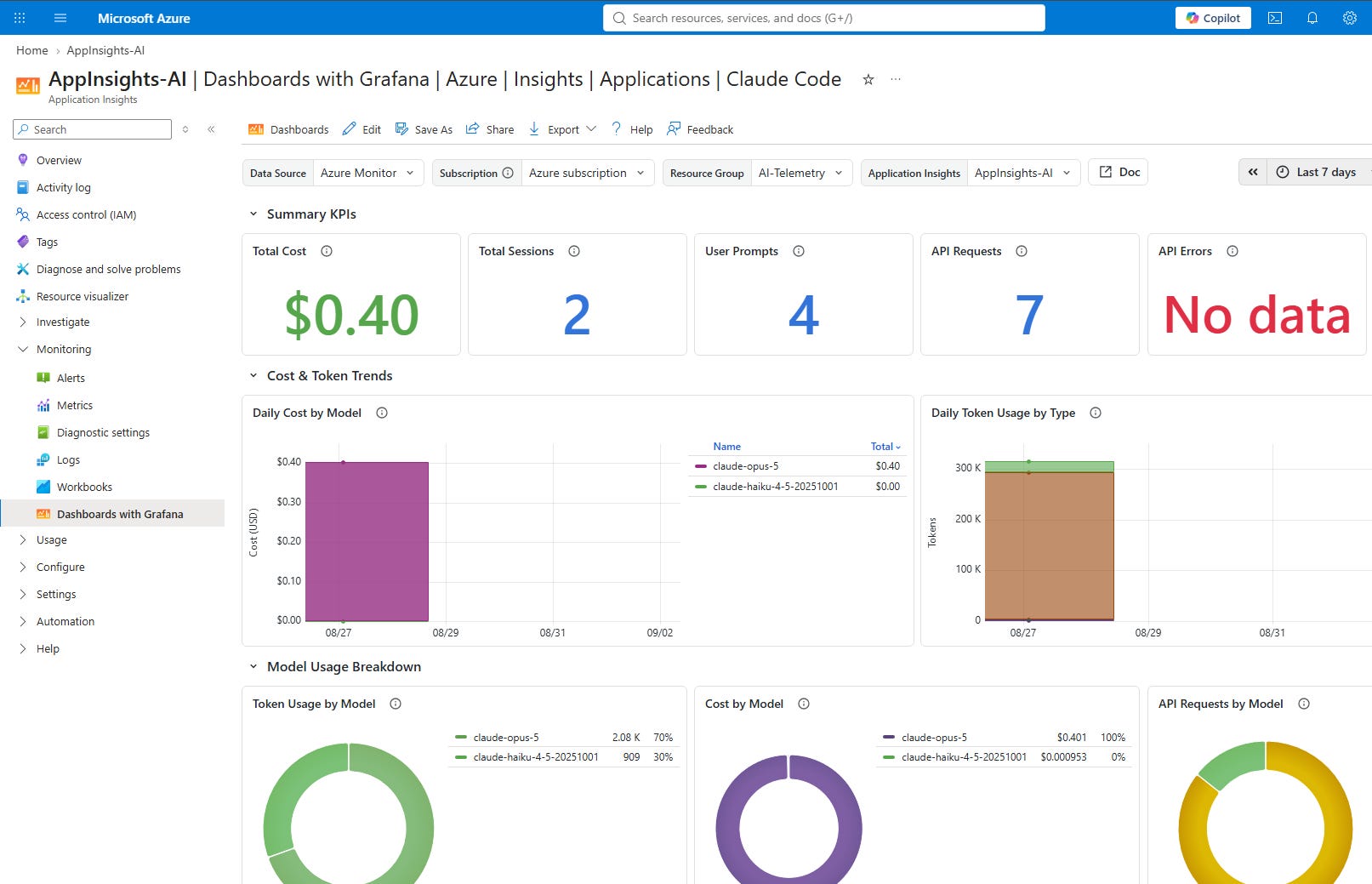
The useful part starts here
The dashboard makes the multiplier effect of Agent Teams visible. A single user request can trigger several agents, several context windows and many model calls.
That does not make Agent Teams a bad idea. It makes observability part of the setup.
The cost figures reported by Claude Code are estimates, not billing records. But they are enough to compare sessions, identify expensive workflows and ask the question that matters:
Did the additional agents create enough value to justify the additional model capacity?